Your baby's songs, one tap from the home screen
Save a YouTube lullaby, a Spotify playlist or your baby monitor app in Ella, and open it straight from the Ella widget. Step by step, with screenshots from real phones.
Using an iPhone? See the iPhone guide
Android
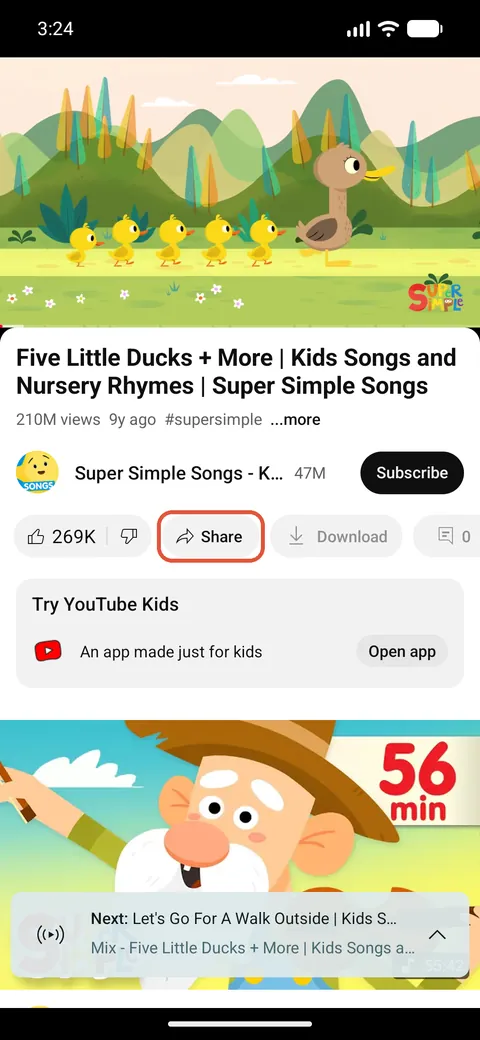
1. Open the video in YouTube and tap Share
Our example is Super Simple Songs, one of the most watched music channels for babies. Any video, playlist, lullaby or white-noise video works the same way.
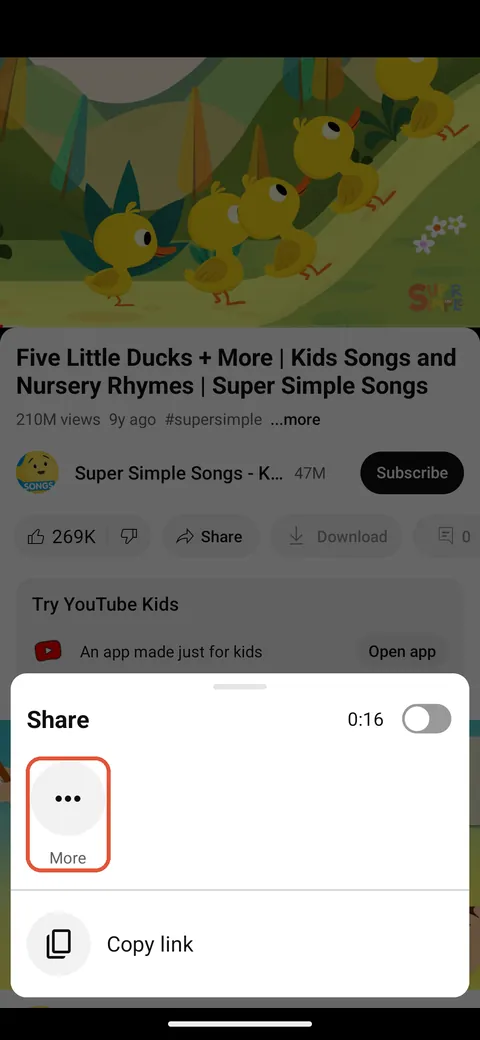
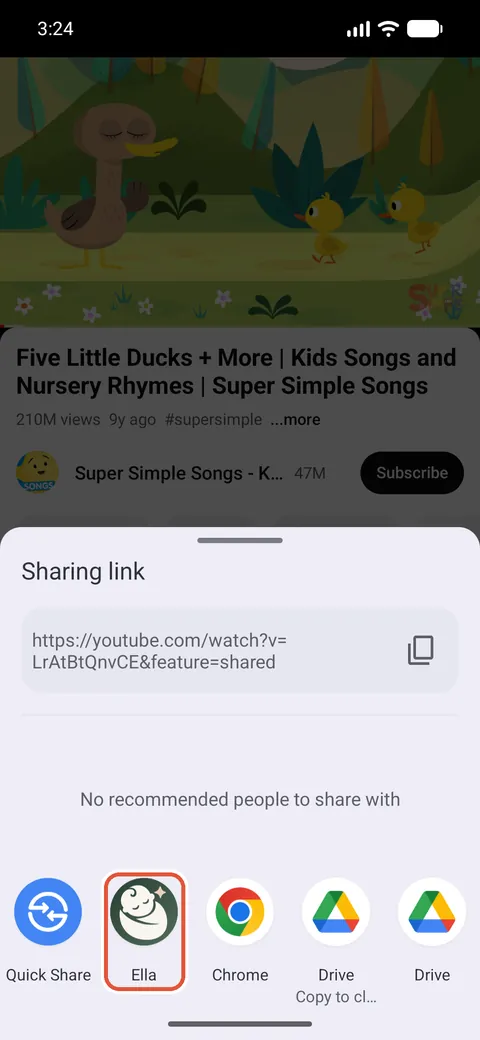
2. Tap More, then Ella
YouTube shows its own share panel first. Tap More to open the phone's share sheet and choose Ella. If you don't see Ella, scroll the row of apps sideways.
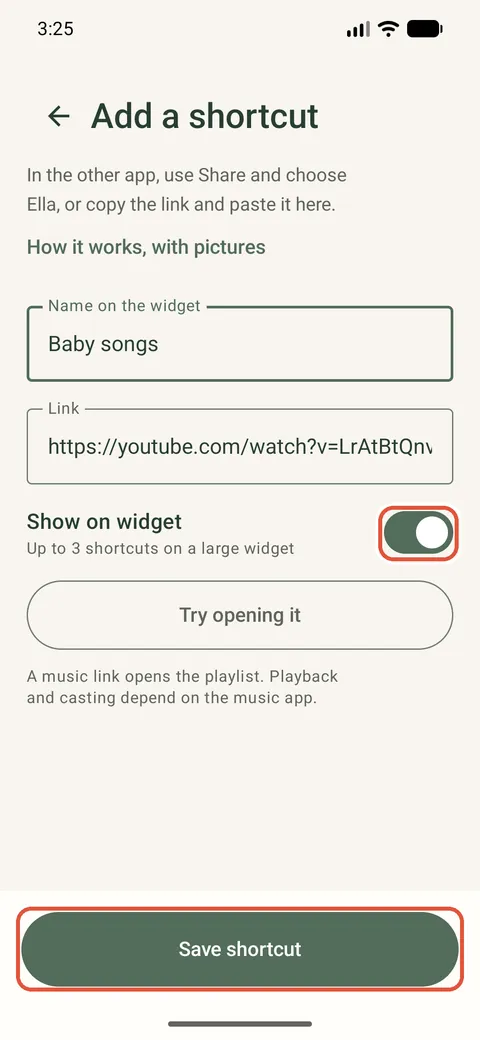
3. Check the name and save
Ella fills in the link and the video's name. Shorten the name if you like, keep “Show on widget” on and tap “Save shortcut”.
4. Make the Ella widget tall enough
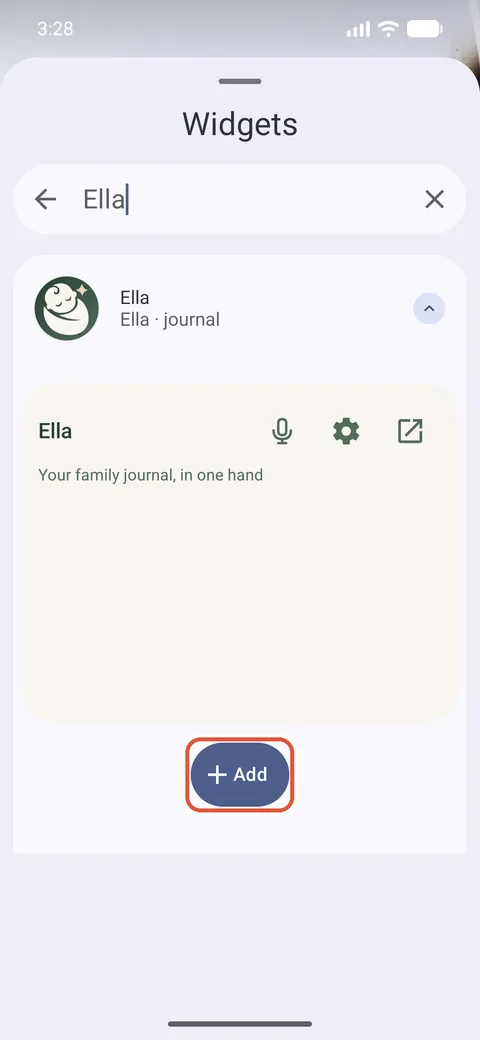
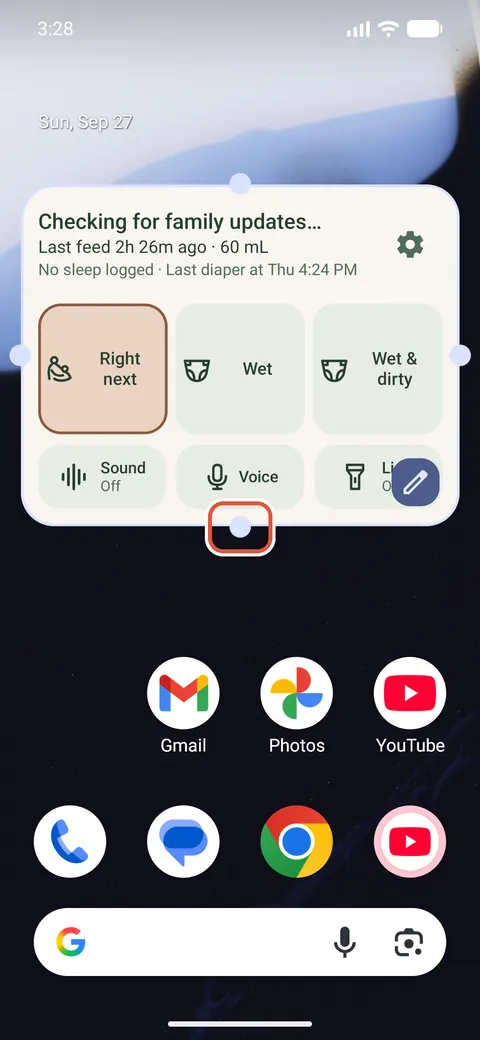
Shortcuts show at the bottom of a large Ella widget. To add the widget, touch and hold an empty spot on the home screen, tap Widgets, search for Ella and tap Add. Then drag the handle on the bottom edge down until the widget covers most of the screen.
5. One tap, and it opens
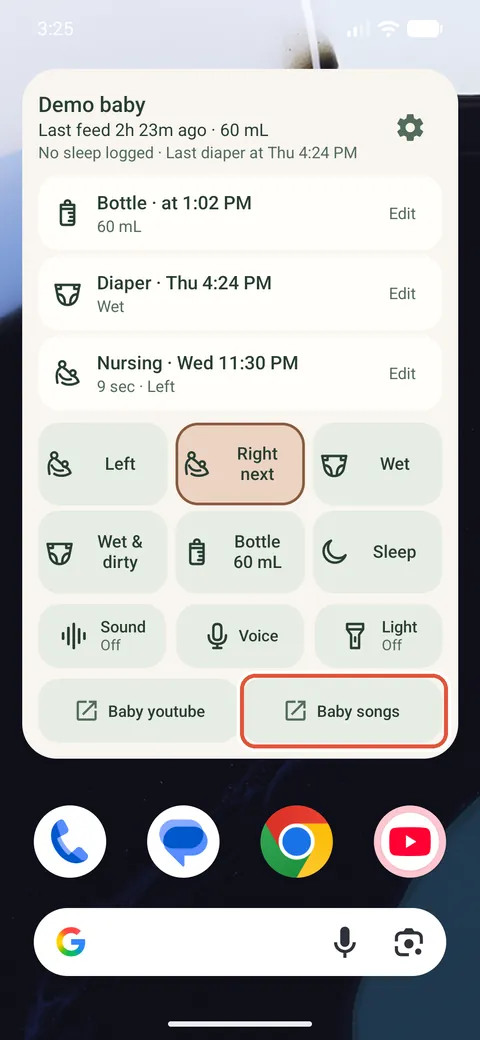
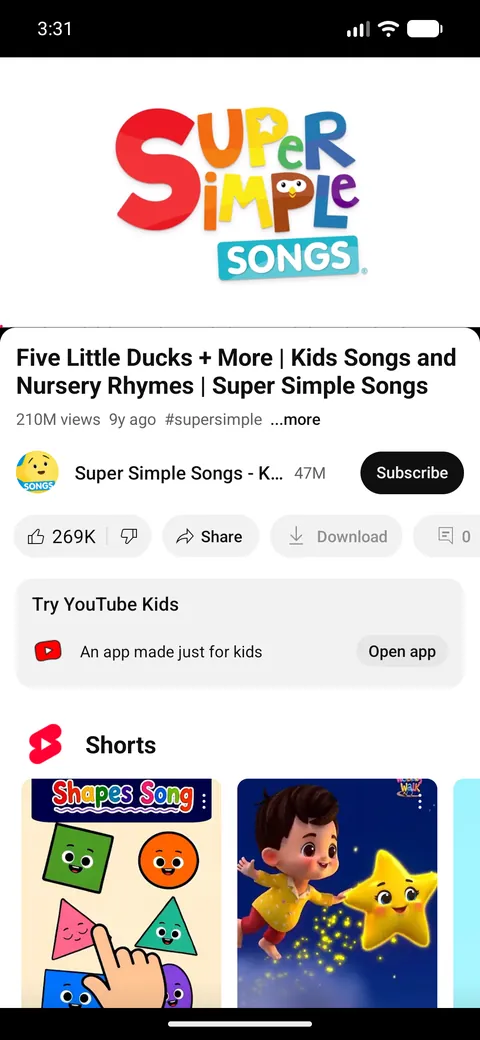
The shortcut sits under the logging buttons. Tap it and the video opens in YouTube.
Open an app, such as your baby monitor
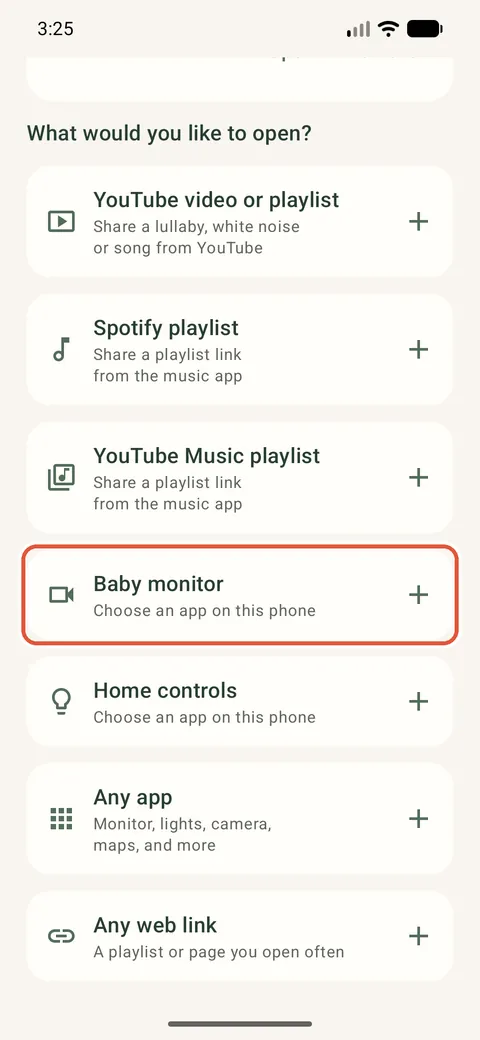
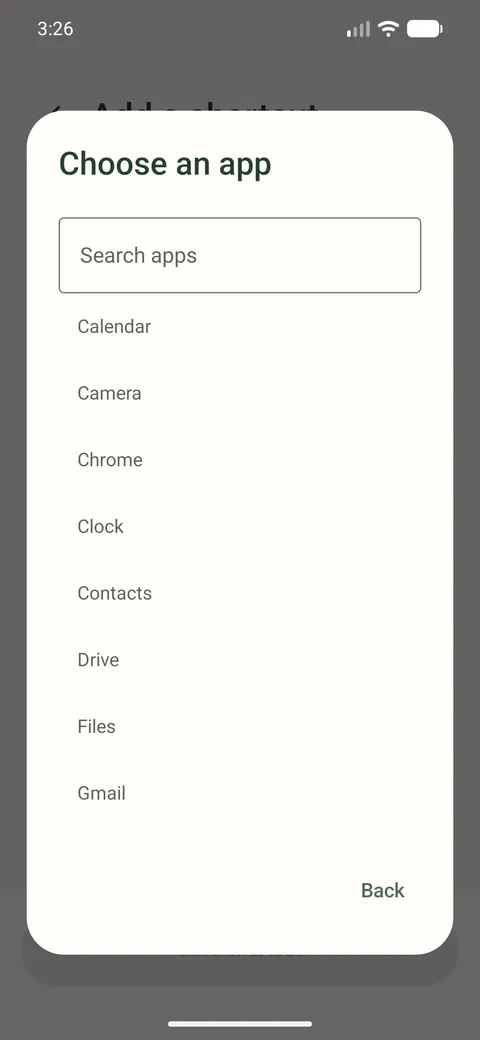
In Ella, open “Family & settings” and tap “Your shortcuts”. Choose “Baby monitor”, “Home controls” or “Any app”, then pick the app from the list. You can also get there from “Quick buttons”, under “Add a button”.
Change or remove a shortcut
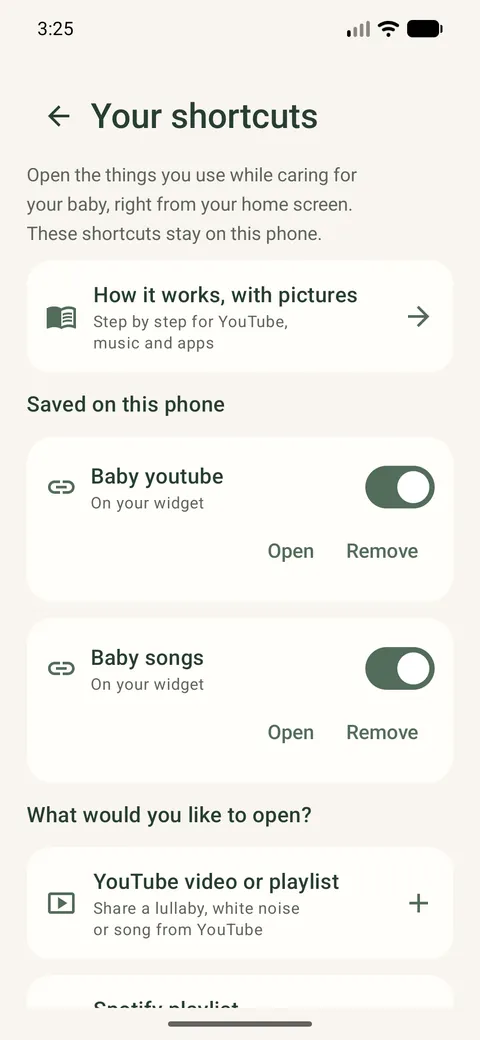
“Your shortcuts” lists everything saved on this phone. The switch puts a shortcut on the widget or takes it off, “Open” tries it and “Remove” deletes it. The widget holds up to 3 shortcuts.
Good to know
- Shortcuts stay on this phone. They are not shared with your family and are not sent to us.
- A shortcut opens the video or playlist. Whether it starts by itself, keeps playing with the screen off or casts to a speaker depends on YouTube or Spotify and on your subscription.
- Up to 3 shortcuts fit on the widget. You can save more in the app and choose which ones show.
- Shortcuts are not available in the web companion or on the watch.