Your baby's songs, one tap from the home screen
Save a YouTube lullaby, a Spotify playlist or your baby monitor app in Ella, and open it straight from the Ella widget. Step by step, with screenshots from real phones.
Using Android? See the Android guide
iPhone
On iPhone, an app can't open another app directly, so shortcuts are links: a YouTube video or playlist, a Spotify playlist or any web page. You copy the link and paste it in Ella.
1. Copy the link
In YouTube, tap Share under the video, then “Copy link”. In Safari the button is called “Copy”.
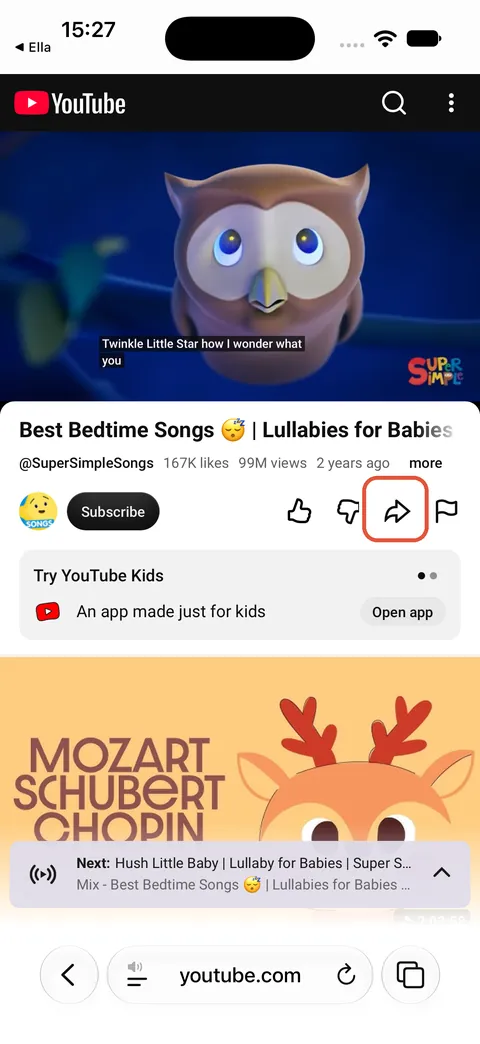
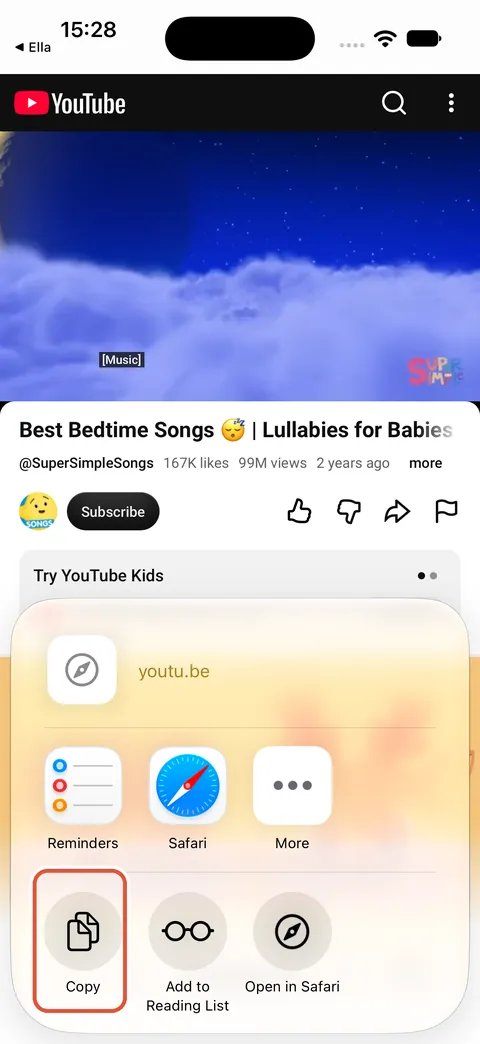
2. Paste it in Ella
In Ella, open Family and tap “Your shortcuts”, then tap Paste. Ella fills in the video name; keep “Show on widget” on and tap “Save shortcut”.
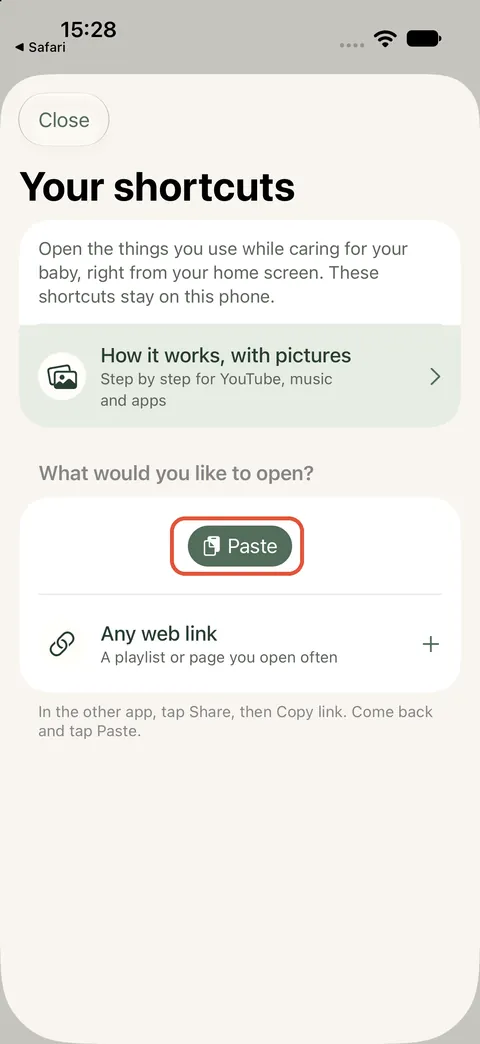
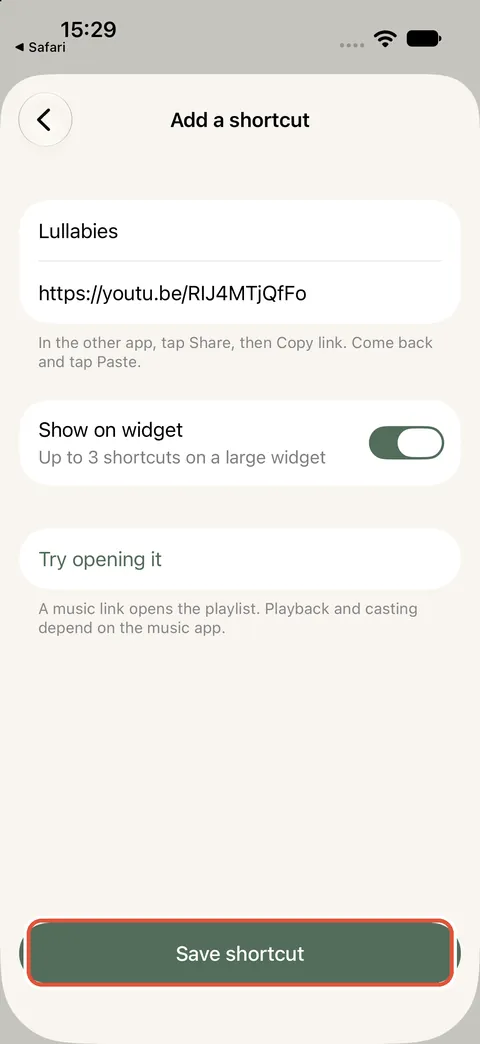
3. Add the large Ella widget
Touch and hold the home screen, tap Edit, then “Add Widget”. Search for Ella, swipe to the largest size and tap “Add Widget”. Your shortcuts are the buttons at the bottom.
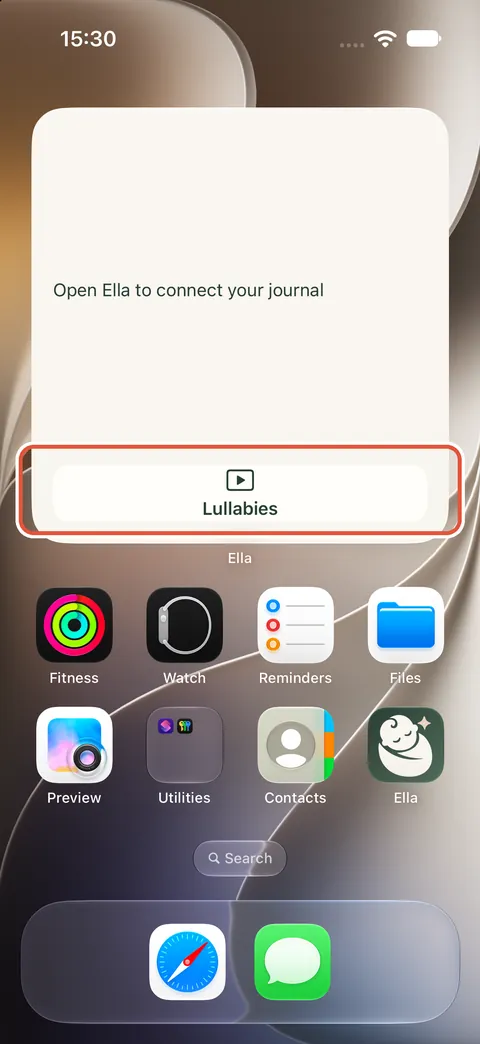
4. Tap to open
The link opens in the YouTube app, or in Safari if YouTube isn't installed.
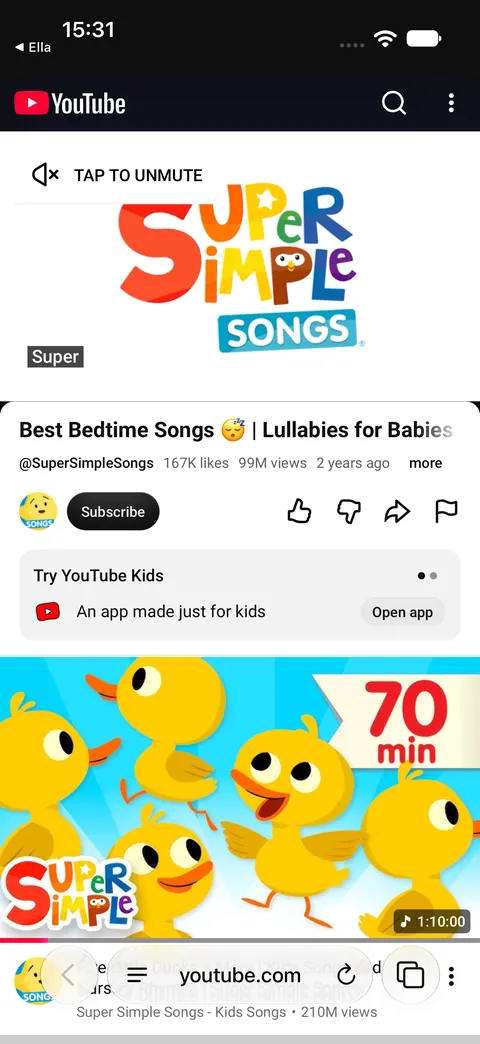
Good to know
- Shortcuts stay on this phone. They are not shared with your family and are not sent to us.
- A shortcut opens the video or playlist. Whether it starts by itself, keeps playing with the screen off or casts to a speaker depends on YouTube or Spotify and on your subscription.
- Up to 3 shortcuts fit on the widget. You can save more in the app and choose which ones show.
- Shortcuts are not available in the web companion or on the watch.